
Login to your account!
Join the World's Largest Web App Marketplace!
Great to see you here!
Let’s set up your account in just a couple of steps.
Forgot password?
Enter your username or email to reset your account.
AI Restaurant – AI Powered Smart Restaurant Management | Offline POS, Voice Order, AI Analysis
By : codearistos Published On Saturday, March 14, 2026, 16:42 In JavaScript
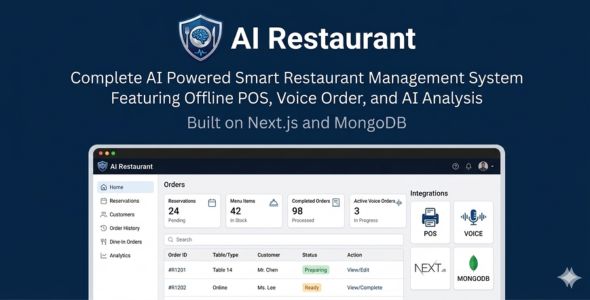
AI Restaurant – AI Powered Smart Restaurant Management | Offline POS, Voice Order, AI Analysis
AI Restaurant is an intelligent, AI-powered restaurant management system built with Next.js 15, React 19, and MongoDB. Manage your Point of Sale, kitchen display, menu, tables, reservations, customers, and inventory—all with built-in AI assistance, offline POS, and voice ordering.
Live Demo: https://ai-restaurant-kohl.vercel.app/
Demo Login: admin@restaurant.com / password123
Why AI Restaurant?
AI Restaurant combines a full-featured restaurant management platform with AI-powered insights, offline-first capabilities, and voice ordering. Built for modern restaurants that want powerful tools without high costs.
Key Features
Point of Sale (POS)
- Create orders with menu items, table assignment, and customer linking
- Configurable tax rate and service charge (Settings)
- Order types: Dine-in, Takeaway, Delivery
- Send to Kitchen and Mark as Paid options
- Receipt printing (regular and thermal)
- Offline-Full POS in IndexedDB when offline—orders sync automatically when back online
- Voice Ordering—hands-free ordering via Web Speech API
Kitchen Display
- Live order queue with Pending and In Progress sections
- Prep duration and elapsed time tracking
- Overdue indicators
- Start and Ready buttons for workflow
Menu & Categories
- Dynamic categories with icons
- Menu items with pricing, availability, and images
- Recipe management—link menu items to inventory ingredients
- Automatic inventory deduction when orders are confirmed
Tables & Reservations
- Table management with capacity
- Availability based on active orders
- Reservation booking with date, time, party size, customer
Customers
- Customer directory with search
- Add customers from POS or Customers page
- Order history per customer
Inventory
- Track inventory items with quantity and unit
- Recipe-based automatic deduction on orders
- Low-stock alerts
AI Features
- AI Assistant—context-aware chat using live menu, inventory, and orders. Get menu recommendations, dietary info, demand forecasting, and operational tips specific to your restaurant.
- AI Insights—demand forecasting, labor scheduling recommendations, menu recommendations, customer insights, inventory alerts
- Configure OpenAI API key in AI Settings
Staff & Roles
- Role-based access: Admin, Manager, Chef, Waiter, Staff
- Admin: Full access including Settings, Staff, Analytics
- Manager: POS, orders, menu, tables, reservations, customers, AI
- Staff: POS, kitchen, orders, menu, tables, reservations
- Chef: Kitchen, menu, recipes, inventory
Settings
- Restaurant name, currency, timezone
- Tax rate and service charge (POS & Charges)
- Opening hours and open days
- Contact info (address, phone, email)
- Theme (light/dark/auto) and language
Analytics
- Sales analytics and reporting
- Revenue and order trends
Tech Stack
- Next.js 15 (App Router)
- React 19, TypeScript
- MongoDB + Mongoose
- NextAuth.js (credentials)
- Tailwind CSS
- Multi-language: English, Spanish, French
What You Get
- Full source code
- Documentation included
- Seed script for sample data
- Easy installation with npm
- Self-hosted—no monthly fees
Requirements
- Node.js 18+
- MongoDB (local or Atlas)
- OpenAI API key (required for AI features)
Important: OpenAI API Disclaimer
An external OpenAI API key is required for the AI features to function. The AI Assistant, AI Insights, and related AI-powered capabilities will not work without a valid API key configured in Settings.
- Any costs associated with the use of the AI service (OpenAI API usage) are the sole responsibility of the buyer.
- This item does not include a pre-paid API subscription. You must create and fund your own OpenAI account.
Try it now: https://ai-restaurant-kohl.vercel.app/
Login with admin@restaurant.com / password123 to explore all features.


