
Login to your account!
Join the World's Largest Web App Marketplace!
Great to see you here!
Let’s set up your account in just a couple of steps.
Forgot password?
Enter your username or email to reset your account.
Compact Theme - Super Store Finder
By : highwarden Published On Monday, March 17, 2014, 17:20 In PHP Scripts
This theme add-on is an extension for and requires Super Store Finder


Compact Theme – Super Store Finder
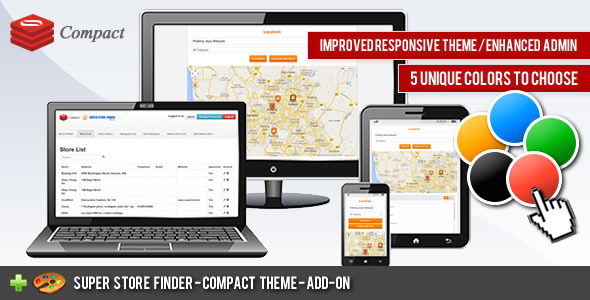
This is an responsive theme add-on for Super Store Finder application that features improved and enhanced responsive theme for this store locator, request add store and admin area. Super Store Finder is a multi-language fully featured PHP/Javascript/MySQL Application integrated with Google Maps API v3 that allows customers to locate your stores easily. Packed with Geo Location, Google Street View and Google Maps Direction your customers will never be lost again getting to your locations.Main Features / Upgrades
- Improved responsive theme for the store locator
- Enhanced admin area template with bootstrap mobile navigation
- Integrated Request Add Store page with the store locator
- Responsive Request Add Store page
- 5 unique colors and styles to choose from
- Geo location on map during Request Add Store and Add Store
- Improved responsive embed page
- Enhanced Map display
Installation Instructions
Important Notice
a. You need to purchase Super Store Finder prior to using this Add-on
b. Be sure to backup your existing files and database before performing the steps below
c. This theme is only applicable for the responsive version of super store finder (superstorefinder_responsive directory) as it will not work on the standard version.
1. Unzip superstorefinder_compact-theme.zip
2. Extract and replace content within compact folder to your installation folder (responsive version only)
3. To set a default style, you may need to edit themes/meta_mobile.php and meta_mobile_add.php and edit the link/remove to css to the theme you prefer
Orange theme (default) css: /css/skin/style_orange.css Blue theme css: /css/skin/style_blue.css Green theme css: /css/skin/style_green.css Red theme css: /css/skin/style_red.css Dark theme css: /css/skin/style_black.css
4. You’re done!
Try to view the demo on your mobile device by scanning or clicking below QR Code:

Support and Inquiries: http://codecanyon.net/user/highwarden
Changelog / Updates
1.9 (Last Update 30 Jul 2019)
- Added compatibility with Super Store Finder 3.1
1.8 (Last Update 24 Mar 2019)
- Added compatibility with Super Store Finder 3.1
1.7 (Last Update 25 Apr 2017)
- Added Google API key field at admin settings page
1.6 (Last Update 11 Jan 2016)
- Updated all codes to mysqli
- Added compatibility to super store finder version 2.8 core
1.5 (Last Update 21st June 2015)
- Added code to allow integration with custom map code settings (refer to Super Store Finder item patch 2.6)
1.4 (Last updated: 22 Feb 2015)
- -Revamp to adhere to patch 2.4 Super Store Finder (Settings in admin area)
1.0 (Last updated: 6 April 2014)
- Added stores admin sorting


