
Login to your account!
Join the World's Largest Web App Marketplace!
Great to see you here!
Let’s set up your account in just a couple of steps.
Forgot password?
Enter your username or email to reset your account.
Meet the Team Shortcode for WPBakery Page Builder (formerly Visual Composer)
By : GambitTech Published On Wednesday, December 10, 2014, 23:07 In WordPress



The Best Way for Your Site Visitors to Have Confidence on Your Team
Manage your team member profile pages using our Team Member custom post type, create multiple teams with our Team category / taxonomy, then list them down using in different layouts & designs.
Display your team in a grid or carousel, and in a vertical, horizontal or gallery design. We give you more power by allowing you to choose the styles and colors for your team gallery.
How to Use the Element
First, create your team members. Upload their photos & write up their profiles. Profiles are needed if you want visitors to read your team’s story.

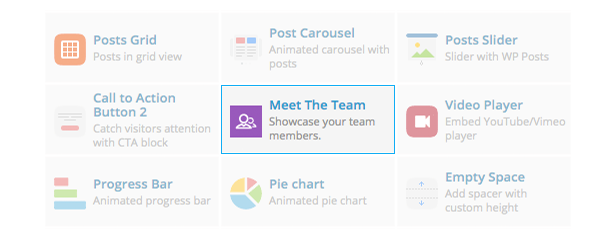
Next, in any page that you have, just add a Meet the Team shortcode. That’s it!
Awesome Features
- Create Team Member profiles,
- Create Teams of members,
- Add Twitter, Facebook, Google+ and Email icons on your team member listing,
- Display a single or multiple members, or any number of specific members,
- Display your team in vertical, horizontal and gallery designs,
- Display your list in a responsive grid or responsive carousel,
- Unlimited gallery overlay & font colors,
- Easy to use shortcode,
- WPBakery Page Builder Element included,
- Well documented, and
- Lightweight,
- Cleanly coded in WordPress standards
Creating a WordPress Theme?
This is for you too! You can easily integrate Meet the Team inside your theme. Just create a single-team_member.php script in your theme to create specially formatted pages for team member profiles. More information on this from the documentation.
Having Trouble with the Plugin?
Head over to the support tab and check out the FAQs, or submit a support ticket!Enjoying the Plugin?
Be sure to leave a rating and review and show us some love.Check out Our Other Stuff








Updates
Version 1.5 – January 18, 2016
* Added the ability to parse telephone numbers in custom links, and will be processed as such. Phone numbers will be parsed with the tel protocol. eg. (tel:+632-123-4567)
* Fixed an issue where stray space lines (or blank characters) would cause misalignments in images and overall design in Chrome, IE and Edge.
* Removed a function that was causing problems for autoplay in carousel mode.
Version 1.4 – November 16, 2015
* Added new option to show custom fields in a gallery of avatars
* Sorting orders and directions are now possible. You can now change the rendering direction of the team roster, or in what order will it be displayed.
* You can now manipulate Meet The Team's WP_Query through the gambit_mtt_query filter.
* Minor adjustments to make some frontend functions in WPBakery Page Builder work.
* Namespaced Owl Carousel library to prevent conflicts with other plugins using Owl Carousel.
* Fixed an issue where hyperlink and caption colors were not being applied.
Version 1.3.1 – September 24, 2015
* The plugin now strictly adheres to WordPress coding standards, which will mean reliable performance to end users.
* Fixed a glaring issue where team member URLs would be contaminated by the main post loop's permalink.
* Rewrote the post loop for team members to prevent similar occurences of the bug above.
* Fixed an issue where a custom team member url settings was actually NOT being respected, it will render regardless if enabled or disabled! A big oopsie on our side.
* Fixed an issue where `full` image types were throwing an error notice
Version 1.3 – August 29, 2015
* Embedded Titan Framework removed, you'll need to download and install the Titan Framework plugin to see the settings (an admin notice will be shown for this)
* Added settings page
* You can now define a custom URL slug for a Team Member
* You can now define a custom URL slug for Teams
* Team Member Templates are now provdided and can be chosen from the settings page
* Fixed compatibility with Jetpack's Photon service
* Added ability to control the autoplay aspect of the team page, if set as carousel
* Upgraded plugin structure. Removed ratings notice and replaced it with admin pointers
* Changing slug name of team members custom post type is now possible.
* You can make team carousel links towards a custom URL or a mailto address. Link falls back to the default method (team member's page).
* Avatar default size is now 'medium' instead of 600x600
Version 1.2 – March 11, 2015
* Uses Genericons instead of Dashicons
* Now supports a lot more social links: http://genericons.com/
* Easier options, there're now 1 field social links & 1 field for custom fields
* Now supports an unlimited number of social links & custom fields
* Basic formatting HTML is now allowed in custom fields
* Backward compatible to the old options
* Fixed bug where custom fields were displaying inline
* Fixed bug where half overlays inside circular avatars did not display correctly (aka "dog bowl" bug)
Version 1.1.1 – January 29, 2015
* Fixed bug where email links were rendered incorrectly
Version 1.1 – January 25, 2015
* Updated Titan Framework to v1.7.4
* Added 5 custom fields for placing custom labels for the team member
* Removed autoheight behavior as it was introducing viewing problems for details, and generating idle movement in browsers.
* Social icons now open up in a new window by default
* The author area can now be toggled while editing a team member
* Fixed bug where the social icons sometimes shows up in other areas
* Fixed a rare bug when a fatal error occurred regarding vc_map
* Fixed percentage calculation
* Retired bfi_thumb and replaced it with OTF Regenerate Thumbnails
* Various CSS fixes
* Various typo errors fixed
* Smaller file size
Version 1.0
* Initial release


&media=https%3A%2F%2Fs3.envato.com%2Ffiles%2F250636945%2F180712_Envato_Meet-the-Team_Item-Preview_Draft-for-Approval_V1-0.jpg&url=https%3A%2F%2Fwww.sourceforest.net%2Fcodecanyon%2Fitem%2Fmeet-the-team-shortcode-for-visual-composer%2F9766439?utm_source=sharepi)