Login to your account!
Join the World's Largest Web App Marketplace!
Great to see you here!
Let’s set up your account in just a couple of steps.
Forgot password?
Enter your username or email to reset your account.

“My Time Keeper” :: 3 plugins in 1 bundle
You can add in your every post / page -
- Event Countdown
- Stop-watch
- Convert your page/post to Time & Event Controlled Quiz / Exam / Practice Sheet etc.
Actions:
- Stop Watch
- Timer Keeper
- Event Count Down
Features:
- Control Buttons Floating Control Panel
- Hook with Form
- On Expire, Click Link/Image
- Sound Notification
<iframe style=”” width=”840” height=”600” src=”https://www.youtube.com/embed/-y-_rSZh8AU” frameborder=”0” allowfullscreen></iframe>
Stop Watch
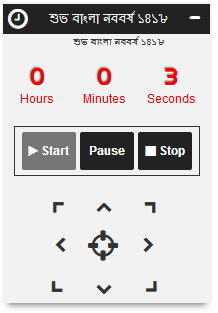
To enable a stop-watch (which count from Zero (0) to upwards) set stopwatch=”1”. If you enable, Stop-watch then Time-keeper and Event Count-down feature will be disabled.
- If you set time=”0”, then Stop-watch will count until you press Pause/Stop button.
- If you set time, then it will stop after given time. time can be in these formates – {“hh:mm:ss”} or {“m:ss”} or “{seconds}”
- If you want to autoplay the stop-watch after page load, set autoplay=”1”
- You can set delay time of autoplay in milli-seconds, set autoplay_wait=”1000”
- After time-out, you can
- hookup with a form by putting the form class-name/id like – hook=”.search-submit”
- perform click event on link/image/form/object by putting the class-name/id – linked=”#click-a-link”
- redirect the user to a specific URL – redirect=”https://www.kernelbd.com/blog/”
- You can restrict a user to access the counter by setting attempt parameter. Let say a post-timer can be accessed by a user for 10 times within 48 hours. So do this – attempt=”10” cookie_hour=”48”
Time Keeper
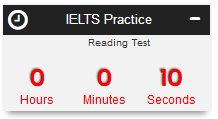
To make a post time keeper (time based reading / quiz / exam / practice sheet etc.), you need to set {stopwatch=”0”}, {when=”0”} and {until=”0”}. Then time will be count in downwards.
- You need set value for time, eg,time=”03:15”, then Stop-watch will count until time reaches to 0 seconds. Time formates – {“hh:mm:ss”} or {“m:ss”} or “{seconds}”
- If you want to autoplay the time-keeper after page load, set autoplay=”1”
- You can set delay time of autoplay in milli-seconds, set autoplay_wait=”1000”
- After time-out, you can
- hookup with a form by putting the form class-name/id like – hook=”.search-submit”
- perform click event on link/image/form/object by putting the class-name/id – linked=”#click-a-link”
- redirect the user to a specific URL – redirect=”https://www.kernelbd.com/blog/”
- You can restrict a user to access the counter by setting attempt parameter. Let say a post-timer can be accessed by a user for 10 times within 48 hours. So do this – attempt=”10” cookie_hour=”48”
Event Count Down
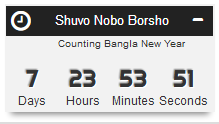
Event Count Down can count towards a specific date until and can set future start date by when. To activate Event Count Down, set {stopwatch=”0”} and {time=”0”} {when=”2017-04-25”} and {until=”2017-05-01 23:59:59”}.
- You need set values stopwatch=”0”, time=”0” and set value for when and until. Time formates for both of them are – {“yy-mm-dd HH:mm:ss”} or {“yy-mm-dd HH:mm”} or {“yy-mm-dd”}
- If you want to autoplay the time-keeper after page load, set autoplay=”1”
- You can set delay time of autoplay in milli-seconds, set autoplay_wait=”1000”
- After time-out, you can
- hookup with a form by putting the form class-name/id like – hook=”.search-submit”
- perform click event on link/image/form/object by putting the class-name/id – linked=”#click-a-link”
- redirect the user to a specific URL – redirect=”https://www.kernelbd.com/blog/”
- You can restrict a user to access the counter by setting attempt parameter. Let say a post-timer can be accessed by a user for 10 times within 48 hours. So do this – attempt=”10” cookie_hour=”48”