
Login to your account!
Join the World's Largest Web App Marketplace!
Great to see you here!
Let’s set up your account in just a couple of steps.
Forgot password?
Enter your username or email to reset your account.
PDF Invoice Data Extraction to MongoDB – Node.js & React with OpenAI
By : AItoolsJS Published On Saturday, January 31, 2026, 11:23 In JavaScript
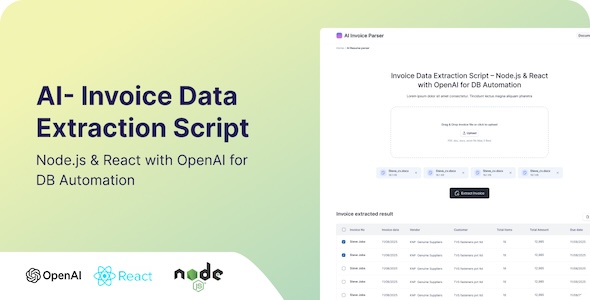
Invoice Data Extraction – PDF to Excel , JSON and DB
A full-stack application for extracting structured data from invoices using OpenAI’s GPT models. Built with Node.js backend and React frontend, featuring multi-language support and automated database storage.
DISCLAIMER:- This item uses third-party AI services (such as OpenAI) which are not included in the purchase price. Buyers are responsible for providing their own API keys and covering any usage costs charged by these services. No AI credits, subscriptions, or usage fees are included with this item.
Features
- AI-Powered Extraction: Uses OpenAI GPT-4o-mini for accurate invoice data extraction with structured JSON output
- Multi-Format Support: Processes text, PDF (using pdf-parse), and image files (using Tesseract.js OCR)
- Database Automation: Automatically stores extracted data in MongoDB with Mongoose ODM
- Multi-Language Support: Built-in internationalization with English and Spanish translations
- RESTful API: Clean API endpoints for invoice management with proper error handling
- Data Validation: Comprehensive validation service with fallbacks and data cleaning
- File Upload: Multi-file upload support (up to 5 files) with drag-and-drop interface
- Export Functionality: Export extracted data to Excel format
- Unit Testing: Comprehensive test coverage with Jest and Supertest
- Modern UI: React-based frontend with responsive design and Tailwind CSS
- Text Preprocessing: Intelligent text preprocessing to handle OCR artifacts and formatting issues
Tech Stack
Backend
- Node.js with Express.js
- MongoDB with Mongoose ODM
- OpenAI API for data extraction
- JWT for authentication (optional)
- Jest & Supertest for testing
Frontend
- React with modern hooks
- Axios for API communication
- i18next for internationalization
- React Router for navigation
- Testing Library for component testing
- Tailwind CSS for styling
- XLSX for Excel export functionality
Architecture Overview
Backend Architecture

Data Flow
- File Upload: User uploads invoice files (PDF, image, text)
- Text Extraction: Files are processed using pdf-parse or Tesseract.js OCR
- AI Processing: Extracted text is sent to OpenAI with structured prompts
- Data Validation: AI response is validated and cleaned
- Database Storage: Structured data is saved to MongoDB
- Frontend Display: Data is displayed in a responsive table with export options
Project Structure
invoice-extraction/
├── backend/                 # Node.js backend
│   ├── models/              # Mongoose models
│   ├── routes/              # API routes
│   ├── services/            # Business logic services
│   ├── __tests__/           # Unit tests
│   ├── db.js                # Database connection
│   └── index.js             # Server entry point
├── frontend/                # React frontend
│   ├── src/
│   │   ├── components/     # React components
│   │   ├── i18n/           # Internationalization setup
│   │   └── __tests__/      # Component tests
├── prompts/                # OpenAI prompt templates
├── translations/           # Language files
├── docs/                   # Documentation
├── .env                    # Environment variables
└── README.md               # This file
Prerequisites
- Node.js (v16 or higher)
- MongoDB (local or cloud instance)
- OpenAI API key
Installation
Clone the repository
git clone <repository-url >
cd invoice-extraction
Install backend dependencies
cdbackend
npm install
Install frontend dependencies
cd../frontend
npm install
cd..
Environment Setup
- Copy
.envfile and update the values:cp .env .env.local - Update the following variables:
OPENAI_API_KEY: Your OpenAI API keyMONGO_URI: MongoDB connection stringPORT: Server port (default: 5000)
- Copy
Start MongoDB Make sure MongoDB is running on your system or update
MONGO_URIfor cloud instance.
Usage
Development
Start the backend server
cd backend
npm run dev
Start the frontend
cd frontend
npm start
Access the application
- Frontend: http://localhost:3000
- Backend API: http://localhost:5000
Production
Build the frontend
cd frontend
npm run build
Start the backend
cd backend
npm start
API Documentation
Invoice Endpoints
Upload Invoice
POST /api/invoices/upload
Content-Type: multipart/formdata

Form Data:
- invoice: File (text, PDF, or image)
Response:
{
  "message": "Invoice processed successfully",
  "invoice": {
    "vendor":"Vendor Name",
    "invoiceNumber": "INV-001",
    "date": "2023-01-01T00:00:00.000Z",
    "totalAmount": 100.50,
    "currency">: "USD",
    "items": [...],
    "status": "processed"
  }
}
Get All Invoices
GET <span class="hljs-regexp">/api/i</span>nvoices
Get Invoice by ID
GET /api/invoices/:<span class="hljs-built_in">id</span>
Delete Invoice
<span class="hljs-keyword">DELETE</span> <span class="hljs-regexp">/api/i</span>nvoices<span class="hljs-regexp">/:id</span>
AI Processing & Data Extraction
OpenAI Integration
The system uses OpenAI’s GPT-4o-mini model with structured JSON output to ensure consistent data extraction. The AI is prompted with:
- System Prompt: Defines the AI’s role as an invoice data extraction expert
- User Prompt: Provides the extracted text and specifies the exact JSON format required
- JSON Schema: Enforces structured output with validation rules
Text Extraction Process
- PDF Files: Processed using
pdf-parselibrary to extract text content - Image Files: OCR processing using Tesseract.js with optimized parameters
- Text Files: Direct UTF-8 text extraction
- Preprocessing: Text cleaning to handle OCR artifacts and formatting issues
Data Validation & Cleaning
- Schema Validation: Ensures all required fields are present and properly formatted
- Fallback Values: Provides sensible defaults for missing data
- Type Conversion: Validates dates, amounts, and other data types
- Duplicate Prevention: Uses invoice number as unique identifier for upsert operations
Supported Invoice Fields
- Vendor/Supplier information
- Invoice number and dates
- Financial amounts (total, subtotal, tax, discounts, shipping)
- Customer and shipping details
- Line items with descriptions, quantities, and pricing
- Payment terms and currency information
Testing
Backend Tests
<span class="hljs-built_in">cd</span> backend
npm <span class="hljs-built_in">test</span>
Frontend Tests
<span class="hljs-built_in">cd</span> frontend
npm <span class="hljs-built_in">test</span>
Multi-Language Support
The application supports multiple languages through JSON-based translations.
Adding a New Language
- Create a new translation file in
translations/directory - Update the i18n configuration in
frontend/src/i18n/index.js - Add language option in the UI
Current Languages
- English (en)
- Spanish (es)
Configuration
All configuration is managed through environment variables in the .env file:
PORT: Server portMONGO_URI: MongoDB connection stringOPENAI_API_KEY: OpenAI API keyJWT_SECRET: JWT secret for authenticationMAX_FILE_SIZE: Maximum file upload sizeDEFAULT_LANGUAGE: Default application language
Contributing
- Fork the repository
- Create a feature branch
- Make your changes
- Add tests for new functionality
- Submit a pull request
Development Guidelines
Code Style
- Backend: Follow Node.js best practices with async/await patterns
- Frontend: Use React functional components with hooks
- Naming: Use camelCase for variables/functions, PascalCase for components
- Error Handling: Implement proper try-catch blocks and error responses
- Comments: Add JSDoc comments for functions and complex logic
Environment Variables
Create a .env file in the root directory with:
# OpenAI Configuration
OPENAI_API_KEY =your_openai_api_key_here

# Database Configuration

MONGO_URI=mongodb://localhost:27017/invoice-extraction

# Server Configuration
PORT5000
JWT_SECRET=your_jwt_secret_here

# File Upload Configuration
MAX_FILE_SIZE=10485760
DEFAULT_LANGUAGE=en
Running Tests
# Backend tests
cd backend && npm =test

# Frontend tests
>cd frontend && npm test
Adding New Features
- Create a feature branch from
main - Implement the feature with proper error handling
- Add unit tests for new functionality
- Update documentation if needed
- Submit a pull request
Deployment
Backend Deployment
- Environment Setup: Configure production environment variables
- Database: Set up MongoDB instance (local or cloud)
- Build: Run
npm install --productionfor dependencies - Start: Use
npm startor process manager like PM2
Frontend Deployment
- Build: Run
npm run buildin frontend directory - Serve: Deploy built files to web server (nginx, Apache, etc.)
- API Configuration: Update API endpoints for production
Docker Deployment (Optional)
# Example Dockerfile for backend
FROM node:16-alpine
WORKDIR /app
COPY package*.json ./
RUN npm ci --only=production
COPY . .
EXPOSE 5000
CMD ["npm", "start"]
Production Considerations
- Security: Use HTTPS, validate inputs, rate limiting
- Monitoring: Implement logging and error tracking
- Scalability: Consider load balancing for high traffic
- Backup: Regular database backups
- Updates: Keep dependencies updated and monitor for vulnerabilities
Troubleshooting
Common Issues
- OpenAI API Errors: Check API key and quota limits
- MongoDB Connection: Verify connection string and network access
- File Upload Issues: Check file size limits and supported formats
- OCR Problems: Ensure Tesseract.js is properly installed
Debug Mode
Set NODE_ENV=development for detailed error logging and debugging information.


