
Login to your account!
Join the World's Largest Web App Marketplace!
Great to see you here!
Let’s set up your account in just a couple of steps.
Forgot password?
Enter your username or email to reset your account.
PrediX - AI Module For Perfex CRM
By : lenzcreativee Published On Friday, June 02, 2023, 15:50 In PHP Scripts




Other Perfex Modules

|

|
|
NOTE: This is not a standalone script. This add-on requires Perfex CRM.
NOTE: OpenAI-compatible API key is required (OpenAI, DeepSeek OpenAI-compat, and other compatible gateways).
Need help before purchase? Contact us at lenzcreativee@hotmail.com for free consultation.

|
PrediX – Complete AI Workspace for Perfex CRM
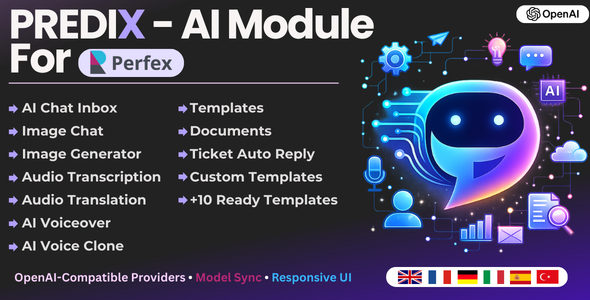
PrediX transforms Perfex CRM into a practical AI workspace for teams: chat, image generation, image editing, audio tools, templates, and smart document workflows in one module.
Why clients choose PrediX
- Modern Chat Inbox UI with fast workflow, sharing, attachments, better response rendering, and inline actions.
- New Image Chat: create and iteratively edit images in a chat-style interface with model/size controls and style presets.
- OpenAI-Compatible Providers: switch provider presets quickly (OpenAI / DeepSeek / Custom base URL).
- Synced Models: shared model registry across Chat, Image, Audio Transcription, and Audio Translation with refresh + cache fallback.
- AI Voice Suite: Voiceover documents + speeches + generated audio table + Voice Clone integration.
- Templates + Documents: dynamic custom fields and document export options.
Core Features
- PrediX Chat Inbox (participants, sharing, attachments, sticky composer, live streaming UI)
- PrediX Image Generator (model + size controls, synced sizes)
- PrediX Image Chat (iterative image creation/editing with style presets)
- PrediX Audio Transcription
- PrediX Audio Translation
- PrediX Automatic Ticket Reply
- PrediX Templates (built-in + custom templates)
- PrediX Documents (save generated content and manage documents)
- PrediX AI Voiceover (multi-speech generation, playback, download, delete)
- PrediX AI Voice Clone (consent flow + reusable custom voices)
Latest Upgrade Highlights
- New Image Chat area with dedicated UI/UX, modern composer, style selector, and edit flow.
- Improved chat and image chat interfaces, responsive layout, dark/light toggle, and better action buttons.
- Provider Presets + Base URL configuration for OpenAI-compatible providers.
- Model Registry with API fetch, cache, fallback, and refresh.
- Improved audio upload handling and provider communication for transcription/translation.
- Template upgrades: custom field types now include Radio + Dropdown (fully integrated).
- Document view upgrade: download generated documents as PDF or DOC.
- Improved settings UX and cleaner management panels.
Built-In Templates
- Write Proposal
- Write Contract
- Cold Email
- Welcome Email
- Follow-Up Email
- Article Generator
- Content Rewrite
- Summarize Text
- Product/Service Description
- Facebook Ads

|
PrediX Chat Inbox (New UI)
What you see: Modern full-screen inbox with sticky composer, responsive sidebar, inline title editing, thread sharing, dark/light mode toggle, rich AI response rendering, and better error handling with toastr.

PrediX Image Chat (New)
What you see: Dedicated image chat workspace with the same premium inbox UX, style presets, reference image editing flow, and upload-aware edit targeting for predictable image edits.

PrediX Preset Image Styles (New)

PrediX Audio Transcription
What you see: Upload audio and get fast AI transcription with model-based configuration, improved validation behavior, and cleaner output management.

PrediX Audio Translation
What you see: Convert spoken audio to translated text with configurable models and improved provider compatibility.

PrediX AI Voiceover (New)
What you see: Professional voiceover document workspace: set language, voice, model, pace, and format, add multiple speeches, generate audio, preview inline, download, and manage output history.

PrediX AI Voice Clone (New)
What you see: Voice clone management flow with consent recording + sample upload, status tracking, saved voice IDs, and direct availability in Voiceover voice selection.

PrediX Automatic Ticket Reply
What you see: AI-powered support reply assistant for ticket workflows with controllable automation behavior.

PrediX Templates (Enhanced)
What you see: Template library with improved layout and management UX.

Template Builder (Enhanced Custom Fields)
What you see: Create templates with dynamic input fields including Text, Number, Textarea, Radio Button, and Dropdown List, fully integrated into content generation.

Template Generator
What you see: Fill template fields, generate AI content, and save as document in one workflow.

PrediX Documents
What you see: Saved generated documents with cleaner viewer and export-ready workflow.

Document Viewer + Export
What you see: Document viewer with quick export options to PDF and DOC.

PrediX Settings (Reworked)
What you see: Cleaner tabbed settings with provider presets, model synchronization controls, image/audio controls, and full AI Voice configuration.



|
Live Demo
| URL | Password | |
| https://lenzcreative.net/marketplace-pcrm-demo/admin | demo@lenzcreative.net | lenzcreative123321 |

|
Installation
- Login to Perfex CRM Admin.
- Go to Modules > Installed Addons.
- Upload the module ZIP file.
- Click Install.
- Done.
This module is built by experienced Perfex developers with focus on clean architecture, upgrade safety, and practical business workflows.

|
Changelog
Version 1.3.x (Latest)
Added: New Image Chat workspace with iterative editing flow and style presets
Added: Provider Presets (OpenAI / DeepSeek / Custom OpenAI-compatible)
Added: Shared model registry + model refresh + fallback cache
Added: AI Voiceover document workflow improvements + Voice Clone integration
Added: Template custom field types: Radio + Dropdown (fully integrated)
Added: Document export download as PDF and DOC
Improved: Chat + Image Chat UX, responsiveness, and dark/light mode handling
Improved: Settings UI organization and usability
Improved: Audio transcription/translation upload/provider handling
Fixed: Reported bugs from clients and UI inconsistencies
Version 1.2.1 18.02.2024
Added: Models for chat, GPT 4, GPT 4 VISION PREVIEW, GPT 4 TURBO PREVIEW, GPT 4 0125 PREVIEW
Added: Models for image generation, DALL-E-2, DALL-E-3
Fixed: Automatic ticket reply bug
Fixed: UI Of Most functionalities
Fixed: Reported Bugs From Existing Clients
Version 1.2.0 19.06.2023
Added: Templates / Custom Templates and 10 Built In Templates
Added: Documents
Added: Automatic Ticket Reply
Fixed: UI Of Most functionalities
Fixed: Reported Bugs From Existing Clients
Version 1.1.0 05.06.2023
Added: Custom typing effect because the Event-Stream is not working on a few servers
Fixed: UI of Chat
Fixed: Error Messages
Version 1.0.0 31.05.2023
Initial version

|
.png)


