
Login to your account!
Join the World's Largest Web App Marketplace!
Great to see you here!
Let’s set up your account in just a couple of steps.
Forgot password?
Enter your username or email to reset your account.
Quantum Fader - Powerful Javascript Gallery
By : JesseMacLeod Published On Friday, December 05, 2014, 15:01 In JavaScript

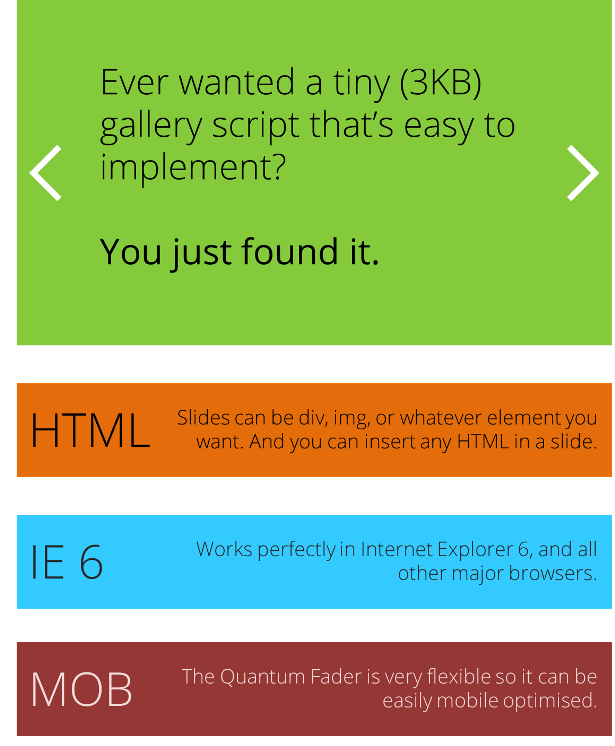
Quantum Fader is a powerful but quantum small (3KB) JS gallery. It transitions from one slide to another by fading. You can add pretty much anything you want in a slide: images, html, video, twitter feed, and more. Best of all, it works perfectly in Internet Explorer 6 (!) and all major browsers. It is also very flexible and can be mobile optimised extremely easily.
You can add as many galleries to one page as you want. The script gives them all a unique ID and each one fades in slightly after the previous Quantum Fader. That’s so every gallery on the page doesn’t transition at the exact same time.
The Quantum Fader runs in autoplay with pause/start buttons, and also previous/next buttons. Navigation buttons can be automatically added to the Quantum Fader by the script.
Implementing
To implement the Quantum Fader on a page, you obviously need to link the CSS and JS files and then add this code:
<div class="QuantumFader">
    <div class="QuantumSlides">
        <div class="QuantumSlide">This is my slide.</div>
        <div class="QuantumSlide">This is my second slide.</div>
        <img src="imagepath/image.jpg" alt="My third slide" />
    </div>
</div>
Then, all you do is call the QuantumFader on the page:
<script>
    $("body").QuantumFader();
</script>
Simple!
Navigation Buttons
The Quantum Fader runs in autoplay and can be paused with a Pause/Start button. There are also Previous/Next buttons (when these are clicked, autoplay is automatically paused). If you choose, the script can automatically add all the navigation buttons for you.To see the complete list of features, please go to the Live Preview.
Known Bugs
The last thing you want when you purchase a product is ugly surprises. So I have listed the bugs that I know of below:Due to the way in which the Quantum Fader works, some elements need to be reloaded when the slide fades out. For example, a YouTube video or a Facebook like button may have to be reloaded when the slide finishes fading out. If there is a way to fade slides without resetting the css “display” property, let me know (jQuery .animate(“opacity”) and .fadeTo() don’t work for me).
Prev and Next navigation buttons may not appear transparent in IE 6. This is an issue with all websites regarding IE6, and is not confined to this product only.


