
Login to your account!
Join the World's Largest Web App Marketplace!
Great to see you here!
Let’s set up your account in just a couple of steps.
Forgot password?
Enter your username or email to reset your account.
Reaction Buttons
By : ColoRichTeam Published On Monday, July 28, 2014, 18:23 In WordPress

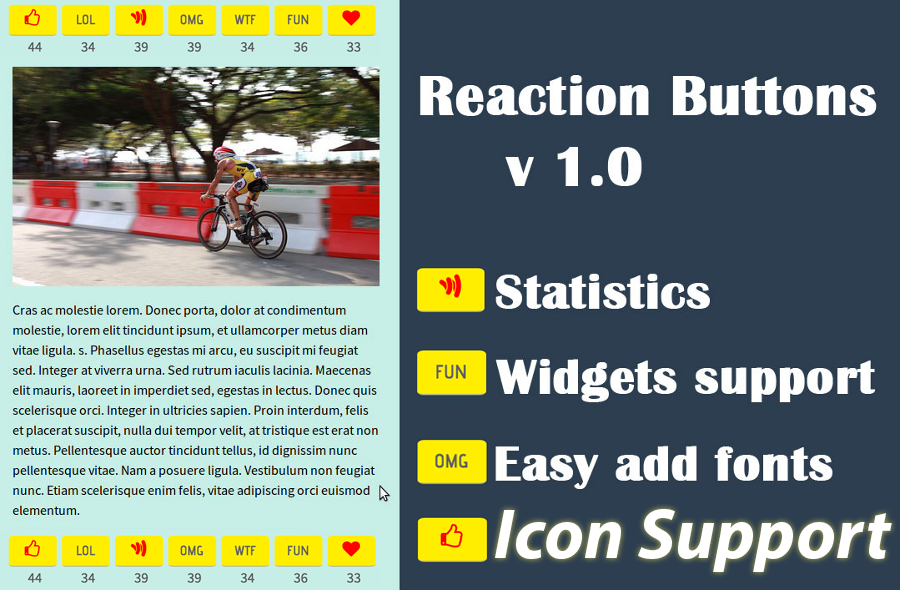
The Reaction Button allow users to react your content but too lazy to type out an comment
Over time when only limited with 2 options original state monotonous: Like and Unlike, now you’ve got more options.
Once a user click on a reaction button, that’s means I can hear the complainers or cheer… Ex: OMG (Oh My God),LOL,WIN,SOCK,CUTE, WTF (Where The Funny or What the funny, etc…). This feature assumes that there are viewers, but are too lazy to type out an comment.
How does it work?
Once a user clicks on a reaction button, their choice for that reaction will be recorded. Later then, you can view a statistic about the vote of users about their impression to your site content. To avoid many fake anonymous voting, you can set up some restrictions.For example, when users click on a reaction, it will be recorded. The buttons will be inactive, and then after one hour it will be active again.
If you allow users to publish their comment in social network sites, once they click on a reaction, a mini Share plugin will pop up to suggest him to share his reaction to the social networks. The user is given an option to choose to which social networks he wants to post the content. When the user presses the “OK” button, the comment will be published to each of the social networks that the user selected. The reaction buttons may be displayed with or without counters, representing the number of times a certain reaction to an item was clicked.
To allow your users leave comments easily, you can implement this plugin in your site. Codecanyon can do this for you with a simple set-up.
[+] Why choose?
- 1. Easy to install.
- 2. Easy to use.
- 3. Increased interest among viewers.
[+] Features:
- 1. React content with button.
- 2. Easy add/remove buttons.
- 3. List top reaction.
- 4. Show up any where with shortcode button.
- 5. Statistics react.
- 6. v1.2: Icon support (Font Awesome).
- 7. v1.2: Clean database.
- 8. v1.2: Uninstalls.
Best Comment Plugin – Reaction Buttons
Recently, there is a new trend of posting comments by clicking on a reaction button to show what readers feel about an article. They will judge through their click. This simple plugin makes it easy for users to react to content in your site, but without the hassle of writing a whole comment. Besides, you can allow them to share their reaction to social networks. The Reactions plugin is built out of one or more buttons, arranged horizontally in a bar. Each button represents a “reaction” to the content, such as ‘LOL’, ‘Amazing’, etc…These reaction could be customized based on your request.
Updates
[+] Version 1.2 - 11-06-2015  ====================================
- Add function Insert Icons.
- Add function clean databases.
- Add function Uninstalls.
[+] Version 1.1 - 09-15-2014  ====================================
- Minor bug fixes.
Coming soon
[+] Reaction buttons with icon.


