
Login to your account!
Join the World's Largest Web App Marketplace!
Great to see you here!
Let’s set up your account in just a couple of steps.
Forgot password?
Enter your username or email to reset your account.
Ultimate Smart Slider - Wordpress
By : castlecode Published On Monday, May 06, 2013, 19:49 In WordPress
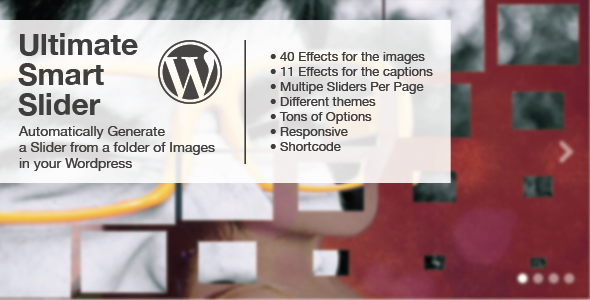

Ultimate Smart Slider Wordpress
This is a plugin that scans a folder containing images in your Wordpress and creates a Slider with the images. You only need to drag and drop images into that folder and thats it, just put the shortocode where you want to show the slider:
[smartSlider]
Features:
- 40 Transition Effects for the images
- 11 Transition Effects for the captions
- CSS3 Transformations
- Thumbnails
- Configurable thorugh Wordpress Admin Page
- Tons of Options
- Responsive
- Swipe Support
- Multipe Sliders Per Page
- Keyboard navigation
- Customizable through CSS
- Support any HTML in the name of the images (for captions)
Note: The live preview is using the Javascript version of the slider so you can play better with the effects, but if you wanna see it in action in a real Wordpress page you can see it here
Do you want to add the images manually?
If your images are in another server or you just want to add them manually just set the directory parameter to none and add them to the shortcode like this:
  [smartSlider directory="none"]
      <img src='url.png' data-effect='boxesDiagonal' data-captioneffect='fade' data-caption="hi there" />
      <img src='url.png' data-effect='boxesDiagonal' data-captioneffect='fade' data-caption="hi there" />
      <img src='url.png' data-effect='boxesDiagonal' data-captioneffect='fade' data-caption="hi there" />
  [/smartSlider]
You need to specify the transition effects for the images and the captions manually as well.
Do you want the slider to read the images from a folder and also add few images manually?
Then just add few images manually and it will read the folder of images (specified in the admin page) and also the few images that you add to the shortcode.
For example:
  [smartSlider]
      <img src='url.png' data-effect='boxesDiagonal' data-captioneffect='fade' data-caption="hi there" />
      <img src='url.png' data-effect='boxesDiagonal' data-captioneffect='fade' data-caption="hi there" />
      <img src='url.png' data-effect='boxesDiagonal' data-captioneffect='fade' data-caption="hi there" />
  [/smartSlider]
Do you want multiple sliders in your WP?
You can customize a single slider with some parameters, here are all the parameters available:
[smartSlider directory="images2" effects="boxesDiagonal,zoomOut" caption="fade,zoomOut" theme="theme2"]


