
Login to your account!
Join the World's Largest Web App Marketplace!
Great to see you here!
Let’s set up your account in just a couple of steps.
Forgot password?
Enter your username or email to reset your account.
Ziexam AI - Extended Payment Gateway Add-ons
By : codezi Published On Saturday, March 14, 2026, 07:52 In PHP Scripts
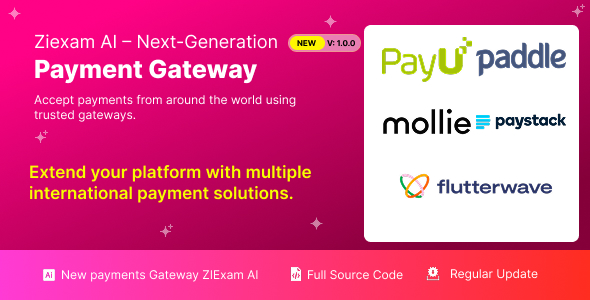
Extended Payment Gateway Add-ons
Ziexam AI – Next Generation Online Examination System Ziexam AI provides a flexible payment infrastructure that allows administrators to expand their payment options through additional gateway extensions. These add-ons enable your platform to accept payments from multiple regions worldwide while maintaining a seamless checkout experience for users.
Each payment gateway extension is built using the modular architecture of Ziexam AI, allowing administrators to install, configure, and manage payment providers without modifying the core system files. This ensures better system stability and easier updates when new versions of the platform are released.
Why Use Payment Gateway Extensions
- Expand payment coverage across multiple countries
- Support regional payment methods preferred by users
- Improve checkout conversion with localized payment providers
- Maintain a secure and scalable payment processing system
- Enable multi-currency payment acceptance
Supported Payment Gateways
PayU
PayU is one of the most widely used payment processors in India and emerging markets. It supports credit cards, debit cards, UPI payments, net banking, and digital wallets. Businesses targeting customers in India can use PayU to provide a reliable and localized payment experience.
Paddle
Paddle functions as a merchant of record and is especially popular among SaaS businesses. It automatically handles global tax compliance such as VAT and GST, subscription billing, and payment processing. Paddle is ideal for platforms that sell digital products or subscription-based services internationally.
Mollie
Mollie is a leading payment service provider in Europe that supports a wide range of European payment methods including iDEAL, Bancontact, SOFORT, and SEPA bank transfers. The gateway provides a simple integration process and reliable payment infrastructure for European markets.
Paystack
Paystack is designed for businesses operating in Africa. It enables companies to accept payments from customers in countries such as Nigeria, Ghana, Kenya, and South Africa. The gateway supports card payments, bank transfers, and mobile money, making it one of the most trusted solutions in the African digital economy.
Flutterwave
Flutterwave provides a unified payment platform for businesses that want to accept payments across Africa and globally. It supports multiple currencies, payment cards, bank transfers, and digital wallets. Flutterwave is widely used by companies that require cross-border payment capabilities.
Installation Process
- Open the Admin Dashboard.
- Navigate to Extra Utilities and select Add-ons Manager.
- Upload the payment gateway add-on package.
- Click Install to activate the gateway.
- After installation, go to System Settings and open Payment Settings.
- Enter the required API credentials provided by the payment gateway.
- Switch between Test Mode and Live Mode depending on your environment.
Configuration Requirements
Each payment gateway requires authentication credentials such as public keys, secret keys, merchant identifiers, or webhook URLs. These details can be obtained from the official dashboard of the respective payment provider. Proper configuration ensures secure communication between your platform and the gateway servers.
Currency Compatibility
Administrators should verify that the system currency configured in the general settings is supported by the selected payment gateway. Using an unsupported currency may result in checkout errors or rejected transactions.
Security and Compliance
All payment gateway integrations follow secure API communication standards and encrypted data transmission protocols. Sensitive payment information is never stored directly on the platform, ensuring compliance with modern security practices and payment industry guidelines.
</section>


