
Login to your account!
Join the World's Largest Web App Marketplace!
Great to see you here!
Let’s set up your account in just a couple of steps.
Forgot password?
Enter your username or email to reset your account.
Chap - Modern AMP Ready Multi-Purpose Theme
By : websevendev Published On Saturday, February 11, 2017, 08:30 In WordPress
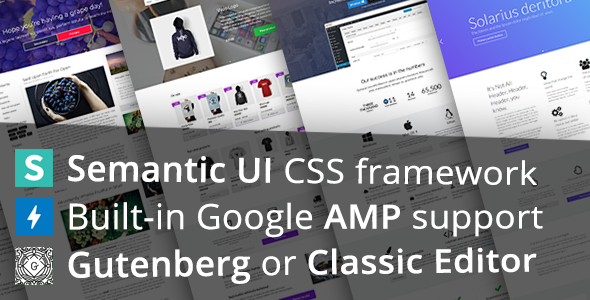
Chap is a highly customizable AMP ready WordPress theme suitable for blogs, landing pages, portfolios, businesses and online shops. With a step by step setup wizard or one click demo import you can have a functional site up and running in minutes. Whether you like to work with classic shortcodes or modern blocks, Chap theme has got a deep toolbox to achieve the results you need.


This theme does not use any third party page builder, instead content can be created using simple shortcodes and/or Gutenberg editor.
NEW – Chap theme version 1.17.2 added support for the new Gutenberg editor.
Preview what Gutenberg blocks (fully AMP compatible!) look like with Chap theme:
Themable components
A website is not just a pretty picture. It has many components – buttons, headers, segments, forms, inputs, menus, messages, tables, cards, accordions and so on. With Chap all of these components can be individually themed to meet the style requirements of your current project.
Modern and professional
Chap uses Semantic UI CSS framework to deliver beautiful, modern and professional user interface. Not only is the theme responsive and retina ready, but every component is also fully customizable. You can swap between different themes for buttons, menus, forms, headers and more with a simple theme option change. There is even an option to control the base size of every UI element at once, so your website size is no longer a constant.
Semantic UI option examples
- Base size of every UI element
- Border radius of every rounded element
- Font families (Google WebFonts, Web Safe Fonts)
- Primary and secondary brand colors, used theme-wide
- Site width
Theming examples
- Menus – Semantic UI, Chubby, GitHub, Material
- Buttons – Semantic UI, Bootstrap 3, Twitter, Amazon, Google Material, GitHub, Raised, and more….
- Forms – Semantic UI, Chubby, Flat, GitHub
- Card – Semantic UI, Basic, Classic, Instagram
- 10+ more themeable components…
- Customize components easily with Semantic UI component editor.
Highly customizable
Besides the component theme swapping Chap also has basic theme options to make sure your website will suit your needs:
- Customize sidebar widths
- 1 sidebar, 2 sidebars, no sidebars
- Pagination alignment
- Header templates specific for every page
- Custom header background
- Header background video
- Slider height
- Brand with text, tagline and/or logo
- Customizable main menu style
- Sticky menu
- Mobile menu
- Menu dropdown items, popup items, right floated items, icon items
- 10+ menu transitions, customizable duration, speed and delays
- Page title in masthead (toggle)
- Footer – widgets, menu, custom text, mini image
- Slider – create custom slides (there are presets), add them to any page
- Create WC product slide with 1 click
- Slider navigation, pagination, scrollbar, lazy loading, 5 transitions
- Customize featured image position
- Custom image viewer
- WC product columns count, products per page count
- WC product card customization
- Theme options import/export
- Display all your social links with 1 shortcode: [social]
Shortcodes
Easy way to add shortcodes – a button is added above the WordPress editor that lets you choose any shortcode and insert it to the editor. There are also a range of composited shortcodes that you can insert, for example – newsletter signup form, call to action, testimonials, plan choices, paragraph grid and many more.
Some of the available shortcodes:
- Grid
- Container
- Segment
- Icon
- Button
- Menu
- Posts
- Accordion
- Tabs
- Divider
- Form
- Testimonial
- Card
- List
- Page
- Repeat
- Ad
- Table of contents
- Many more…
Gutenberg blocks
In addition to shortcodes, Chap includes support for creating some Semantic UI elements in the new Gutenberg editor as well.
Currently available Semantic UI Gutenberg blocks:
- Button
- Container
- Divider
- Header
- Icon
- Image
- Label
- List
- Message
- Segment
- Grid
- Statistic
- Landing page presets
- And more…
Well documented
Chap website contains troves of useful information about operating your WordPress site with this theme. We cover basics, such as setting up your site and using child themes, galleries, menus and shortcodes, as well as more niche topics such as Amazon affiliate links, translating strings, setting up Accelerated Mobile Pages and useful plugins.
If you can’t find what you’re looking for you can always ask, we are committed to help our clients achieve the desired results.
A sample of our documentation
- Installing Chap
- Using a child theme
- WordPress menus
- Creating galleries
- Setting up RTL
- Translating strings
- Available filters
- Available actions
- Creating newsletters
- Useful plugins
Updates
The theme has received over 12 updates since launch and is continually worked on to add new features, demos and keep it up to date with the latest versions of WordPress and WooCommerce. Theme can be kept up to date easily with the Envato Market plugin integration.
Will I need to know how to code to use this theme?
Chap is designed to be usable without any knowledge of CSS, JavaScript or PHP.
Having a basic understanding of how WordPress shortcodes work will be helpful.
If you have basic knowledge of CSS, Sass, Less, JavaScript and/or jQuery you can customize UI elements down to the last detail, without ever leaving the comfort of WordPress admin dashboard.
If you’re comfortable with PHP you can create your own custom template files, override the theme core functions to suit your needs and take advantage of the available filters and actions.
Browse the available demo sites or read the frequently asked questions to get to know more about this theme.
Other features
- Gutenberg editor support
- Custom-built responsive slider
- Easy slide creation and presets
- Sticky menu
- Mobile menu
- WooCommerce support
- Child theme included
- Automatic WC product slide creation with 1 click
- RTL – Support for right to left languages
- Easy social media links
- Accelerated Mobile Pages (AMP) support
- Facebook page plugin support
- Facebook feed plugin support
- Instagram feed plugin support
- Contact Form 7 support
- WPML language switcher support
- Polylang language switcher support
- YITH Infinite Scrolling support
- Child theme support
- Tablet and mobile friendly
- Togglable CSS components
- Quick and easy setup wizard
- Choose your own default content
- Fully widget-ready sidebars and footer
- Global rounded corners toggle
- Not bloated – only essential dependancies
- Online documentation and support
- One click demo import
- Animated elements when scrolling down
- Angled edges for header/footer
- Custom page width
- Custom brand colors
- Semantic UI component editor
- Google WebFonts
- FontAwesome icons
- CSS helper classes
- Loading screen


