
Login to your account!
Join the World's Largest Web App Marketplace!
Great to see you here!
Let’s set up your account in just a couple of steps.
Forgot password?
Enter your username or email to reset your account.
Tersus - Business Portfolio Parallax Muse Template
By : soulmemoria Published On Wednesday, May 21, 2014, 06:17 In Muse Templates

ITEM REQUIRMENTS
This product requires the Adobe Muse application to be installed in your computer. It cannot be edited on other platforms such as WordPress or Joomla. Please make sure that the requirement are met before making purchase.

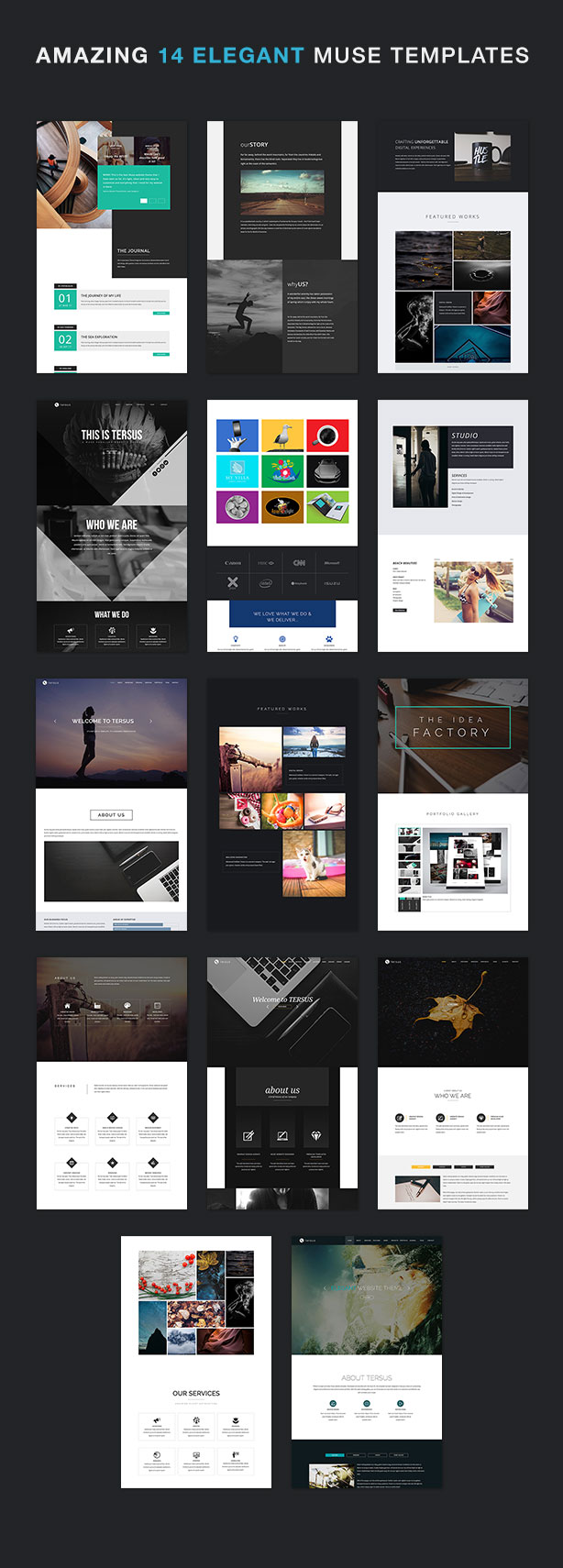
TERSUS is a professionally crafted, multiple high quality Muse website templates. Developed and decoded with the Muse CC, all templates have been designed to help you create an outstanding, elegant with a professional look online business portfolio. Showcase your top-notch works in superbly attractive and effective way with confident and in style. Get TERSUS now!
RECENT UPDATES (Scroll to the bottom to see the Changelog)
Version 5.0 (Feb 19 2019)- Updated to Muse CC 2018 - New custom map styler widget. - New top, full-width video widget. - New HTML inserter widget. - tersus.js and tersus.css updated. - Added new 1400 breakpoint. - Breakpoint 1200 changed to 1280. - Breakpoint 800 changed to 820. - Documentation file updated. - Multiple new pages added. - Fine refinement on all templates.



FEATURES:
- Developed for Adobe Muse CC
- Multiple High Quality Template Designs in One Package
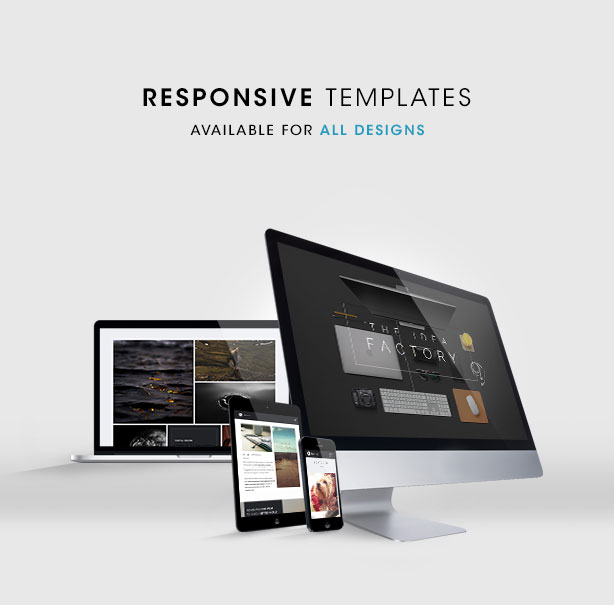
- Responsive Templates
- Parallax Scrolling on Some Templates
- Retina Ready
- HTML Preview Files Included
- Font Awesome
- Dynamic Slideshow
- Full Screen Video Homepage
- Custom Top Slide Menu
- Custom Side Slide Menu
- Animated Section Title
- Animated & Interactive Icons
- Animated Progress Bar
- Animated Number Counter
- Additional Hover Effects
- Elegant Showcase Gallery
- Embedded SoundCloud widget
- Tabbed Panel
- Accordion Panel
- Hundreds of Fonts from Typekit Webfont
- Easy to Configure Contact Form
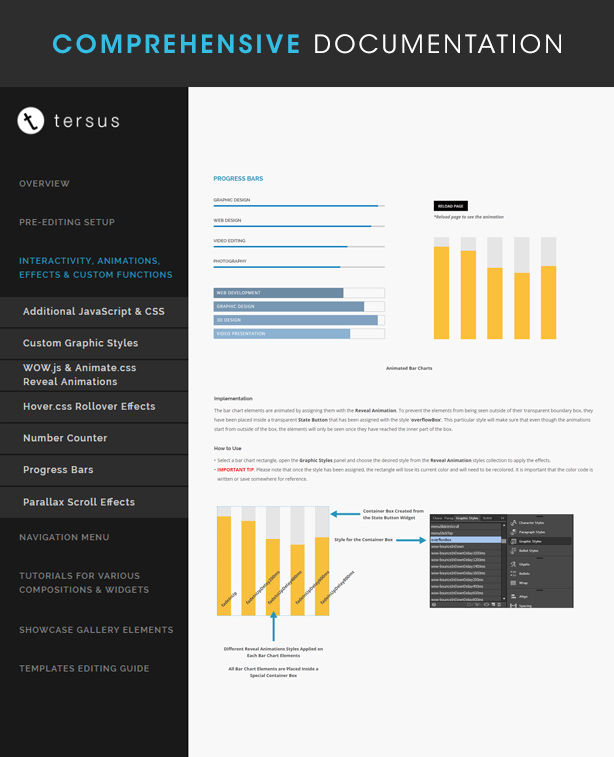
- Comprehensive Documentation
- Dedicated Support
- Regularly Updated
EXTRA NOTES
GMap.mucow by musemismo
SmoothScroll.js by Balázs Galambosi
Demo Images : Unsplash.com
PLEASE GIVE A GOOD REVIEW IF YOU LIKE THIS ITEM. THANK YOU!!
CHANGELOG
Version 5.0 (Feb 19 2019)- Updated to Muse CC 2018 - New custom map styler widget. - New top, full-width video widget. - New HTML inserter widget. - tersus.js and tersus.css updated. - Added new 1400 breakpoint. - Breakpoint 1200 changed to 1280. - Breakpoint 800 changed to 820. - Documentation file updated. - Multiple new pages added. - Fine refinement on all templates.Version 4.0 (May 30 2017)
- Updated to Muse CC 2017
- All templates are now responsive.
- Alternate layout templates are no longer included.
- Obsolete Edge Animate widgets removed.
- New Documentation file.
- Breakpoints standardized across all templates.
- Breakpoint 640 changed to 670.
- New smaller 380 breakpoint added.
- Major layout refinement particularly on showcase gallery and portfolio composition widgets.
- Multiple unique new pages added.
- Fine refinement on all templates.
Version 3.0.1.6 (November 01 2016)
- Design 10, fullwidth video looping problem fixed.
- Design 12 (responsive), Portfolio section thumbnails arrangement fixed on breakpoint 1050.
Version 3.0.1.5 (August 22 2016)
- - Design 01 Alternate Layouts Tablet and Phone version. 'History', 'Mission', 'Vision' & 'Core Values' tabbed panel buttons stacking on top on each other problem fixed.Version 3.0.1.4 (July 20 2016)
- Design 05, 06, 07 & 13 Alternate Layouts. Problem with Tablet and Phone not showing anything on preview has been fixed.Version 3.0.1.3 (July 20 2016)
- Design 08, Multi Pages Alternate Layouts. Problem with Tablet and Phone not showing anything on preview has been fixed.Version 3.0.1.2 (June 23 2016)
- Updated to Muse v2015.2Version 3.0.1.1 (June 08 2016)
- Additional JQuery version change from v2.2.3 to v1.8.3 for better compatibility with Muse.Version 3.0.1 (May 18 2016)
- Some problems in tersus.js & tersus.css have been fixed. Please replace both files with the updated version.
- Smoothscroll.js file replace with another version that works better on all browser particularly the older ones. While it is not necessary, please consider to replace the file with the included file.
- Missing Tersus - Reveal Animations and Hover Effects.muse file now included.
- Missing Bounce In Left Delay 1600ms style added to all template.
Version 3.0 (May 11 2016)
- Added responsive template for Design 14.
- Method of integration with the additional CSS and JavaScript changed to a more systematic way.
- Font Awesome widget removed and change with the Font self-hosted method. All icons that were previously generated with the widget have been replaced with a text frame.
- Style name for CSS and JavaScript integration standardized on all templates with a more recognizable names.
- 'custom.css' name changed to 'tersus.css'.
- New 'tersus.js' file added to handle custom JavaScript codes.
- Script and Link tags to JavaScript and CSS libraries replaced with CDN links.
- Scrollbox for menu now works on all templates.
- Tersus 01: Responsive version. Size for some widgets have been changed.
- Tersus 02: Featured & Portfolio sections have been updated. Edge Video widget replaced with embed code method.
- Tersus 10 & 12: Responsive version. New menu compositions.
- Tersus 06 & 13: New menu compositions.
- Effects and animation on all template reviewed and changed on some.
- Along with the term 'Adaptive', non-responsive templates are now also called 'Alternate Layouts' cause it's more accurate.
- Tweaks on some templates.

- A lot of new functions have been included such as:
  • Wow.js & Animate.css animation with delay
  • Side Slide Menu,
  • Top Slide Menu
  • Hover.css rollover effect
  • Animated menu 'hamburger' icon.
  • Auto-close menu when link button is clicked. (Refer Template 10 & 12)
  • Auto-close menu when on scroll. (Refer Template 10 & 12)

- There are changes on all templates particularly in regards to the additional JavaScript and CSS integration workaround.
- Documentation Updated.
Version 2.8.2 (March 16 2016)
- Responsive template for Design 08 is now available.
- Documentation Updated.
Version 2.8.1 (March 03 2016)
- Responsive template for Design 10 is now available.
- Additional Notes 10 updated to include information regarding responsive feature.
Version 2.8.0.1 (February 26 2016)
- Design 12, 1200 breakpoint menu not working properly upon changing to other breakpoints fixed.Version 2.8 (February 25 2016)
- Responsive template for Design 12 is now available.
- Additional Notes 12 updated to include information regarding responsive feature.
Version 2.7.9 (February 16 2016)
- Responsive template for Design 01 is now available.
- All Muse files updated to version 2015.1
- Main Documentation 01 updated to include information regarding responsive feature.
Version 2.7.8.2 (January 06 2016)
- Documentations updated for several templates.
- Design tweak on some templates (reveal animation reduced and optimized).
- Included sample images has been updated.
Version 2.7.8.1 (December 28 2015)
- Documentation for Tersus Design 14 has been updated.Version 2.7.8 (December 25 2015)
- Added new template - Tersus Design 14Version 2.7.7.2 (November 11 2015)
- Additional CSS styling code added to Tersus Design 11.Version 2.7.7 (September 01 2015)
- Added new template - Tersus Design 13
- All Phone and Tablet versions optimized to perform more smoothly on iPad & iPhone.
- Sticky navigation workaround on Phone and Tablet version that will run more smoothly on iPad & iPhone.
- Tersus 06 - Fix the slide menu problem on iPad & iPhone.
- Tersus 10 - Change the way of linking Muse with the video file in Tablet and Phone versions.
- Old Documentation updated.
- New Documentation added.
Version 2.7.6 (August 08 2015)
- Updated to Muse CC 2015.0.1.22Version 2.7.5 (July 12 2015)
- All Phone version optimized to perform better on iPhone Safari browser.
- Smoother mouse scroll script removed from template 01, 02 03, 04 ,05, 07, 08 & 10.
- Documentation updated.
Version 2.7.4 (July 06 2015)
- WOW.js and Animate.css added to all template for sleek reveal animations.
- Smoother mouse scroll script added to all template.
- Counterup.js added for number counting up animation.
- GMap Mucow by Musemismo added to create and customize Google Map.
- Custom CSS added to control some rollover transition effects.
- Template 12 - Single page added
- Documentation added and updated.
Version 2.7.3.1 (June 22 2015)
- Additional JavaScript in Design 6, 9, 11 & 12 replaced with a new one.
- Assets problem in Design 12 fixed .
Version 2.7.3 (June 18 2015)
- Added new template - Tersus Design 12 (with additional JavaScript & custom CSS styling)
- Documentation update
Version 2.7.2 (May 20 2015)
- Added new template - Tersus Design 11 (with additional JavaScript & custom CSS styling)
- Additional JavaScript added to Design 06 & Design 09
- Edge Animate files updated
- Documentation update
Version 2.7.1 (May 12 2015)
- Added new template - Tersus Design 08 Multi Page With More Portfolio Presentation OptionsVersion 2.7.0 (May 04 2015)
- Design tweak - Tersus Design 10
- Fixing bugs on mobile layout
Version 2.6.9 (April 01 2015)
- Added new template - Tersus Design 10Version 2.6.8 (March 21 2015)
- Added new template - Tersus Design 09Version 2.6.7.3 (March 17 2015)
- More features added to Design 08
- Documentation update
Version 2.6.7.2 (February 20 2015)
- Fix problem with menu in Design 08Version 2.6.7.1 (February 18 2015)
- Updated to Muse CC 2014.3
- Design tweaks on some templates
- Documentation update
Version 2.6.7 (February 02 2015)
- Added new design customization - Tersus 08Version 2.6.6.1 (January 29 2015)
- Footer layout compatibility issue with different browsers has been fixedVersion 2.6.6 (January 14 2015)
- Added new design customization - Tersus 07
- Animated title text added for Tersus 03
- Edge Animate projects file updated to the latest version
Version 2.6.5 (November 28 2014)
- Added new design customization - Tersus 06Version 2.6.4 (November 24 2014)
- Added new design customization - Tersus 05
- All images that are licensed under Creative Common Zero now included.
Version 2.6.3 (November 18 2014)
- Updated to Muse CC 2014.2.
- Tersus 02 Featured section hidden lightbox repair.
- Phone menu on all customizations redesigned.
Version 2.6.2 (November 17 2014)
- Documentation updated.Version 2.6 (October 6 2014)
- Added new design customization - Tersus 04
- Tersus 01 - Design tweak on Project section, Phone menu & Journal section.
- Tersus 03 - Missing Edge Animate project files added.
- Readme updated.
Version 2.5.1 (September 29 2014)
- Fixing bad links to the recent update in Tersus 03.
- Tidying up Tersus 02 (unnecessary elements have been spotted ).
- Readme updated.
Version 2.5 (September 29 2014)
- Added new design customization - Tersus 03
- Tersus 01 & 02 - Grid layouts for all version has been standardized.
- Tersus 01 - New features added: - Projects & Journal sections.
- Tersus 02 - Design tweaked.
- Readme updated.
Version 2.4 (September 16 2014)
- Tersus 01 & 02 - Updated to Muse CC 2014.1
- Tersus 01 & 02 - Optimized for Retina
- Tersus 01 - New features added. With animated and interactive icons created in Adobe Edge Animate.
- Tersus 02 - Small tweak on Contact Form submitting states.
- Readme updated
Version 2.3 (August 16 2014)
- Tersus 01 - Updated to Muse CC 2014
- Tersus 02 - Replaced with a new improved design. With animated contents and HTML5 video background, created in Adobe Edge Animate.
- Readme updated.
Version 2.1 (June 25 2014)
- Tersus 01 & Tersus 02 both tested and found to work well with Muse CC 2014
- Tersus 01 - Improved design, scroll effects refined, NEWS section added
- Tersus 02 - Improved design, scroll effects refined
- Readme updated.
Version 2.0 (June 10 2014)
- Added new template with Brand New design. (With video support for main header, Pinterest board and live Twitter feed board)
- Slight changes to old  layout design. Page size has been made wider.
- Readme updated.
Version 1.2 (June 05 2014)
- Selections of different home backgrounds can be made from the Layers thus eliminating the need of a second file.
- Youtube embed widget change to Muse standard  widget
- Slight changes to layout design like smaller map and few color tweaks.
- Readme updated.
Version 1.1 (June 02 2014)
- Full Width slider added to all versions (Desktop, Tablet & Phone)Version 1.05 (May 29 2014)
- Readme PDF added
- Small tweak on mobile version menu behavior (now menu will hide on click)


